title: I finally rebuilt my portfolio website (and added a terminal theme) published: true description: Moved my portfolio from Chakra UI to Tailwind CSS and Next.js 16, gave it a fresh design, and added a second terminal-style theme. tags: showdev, nextjs, webdev, react cover_image: https://raw.githubusercontent.com/MA-Ahmad/myPortfolio/main/.github/screenshots/home.png
Hey everyone 👋
It's been a long time since my last portfolio update post. My portfolio mahmad.me was built back in 2021 with Next.js and Chakra UI, and some of you might remember my earlier posts about it.
For a long time I wanted to update it. The design felt old, the packages were outdated, and I had a list of ideas I wanted to try. But office work kept me busy, and the update kept moving to "next weekend" 😅
Finally I got some time, and I rebuilt it.
What's new
Chakra UI ➡️ Tailwind CSS
The whole site moved from Chakra UI to Tailwind CSS, and I upgraded to Next.js 16 with React 19. Chakra UI served me really well for years, but this time I wanted more control over the styling and a lighter setup.
A fresh design
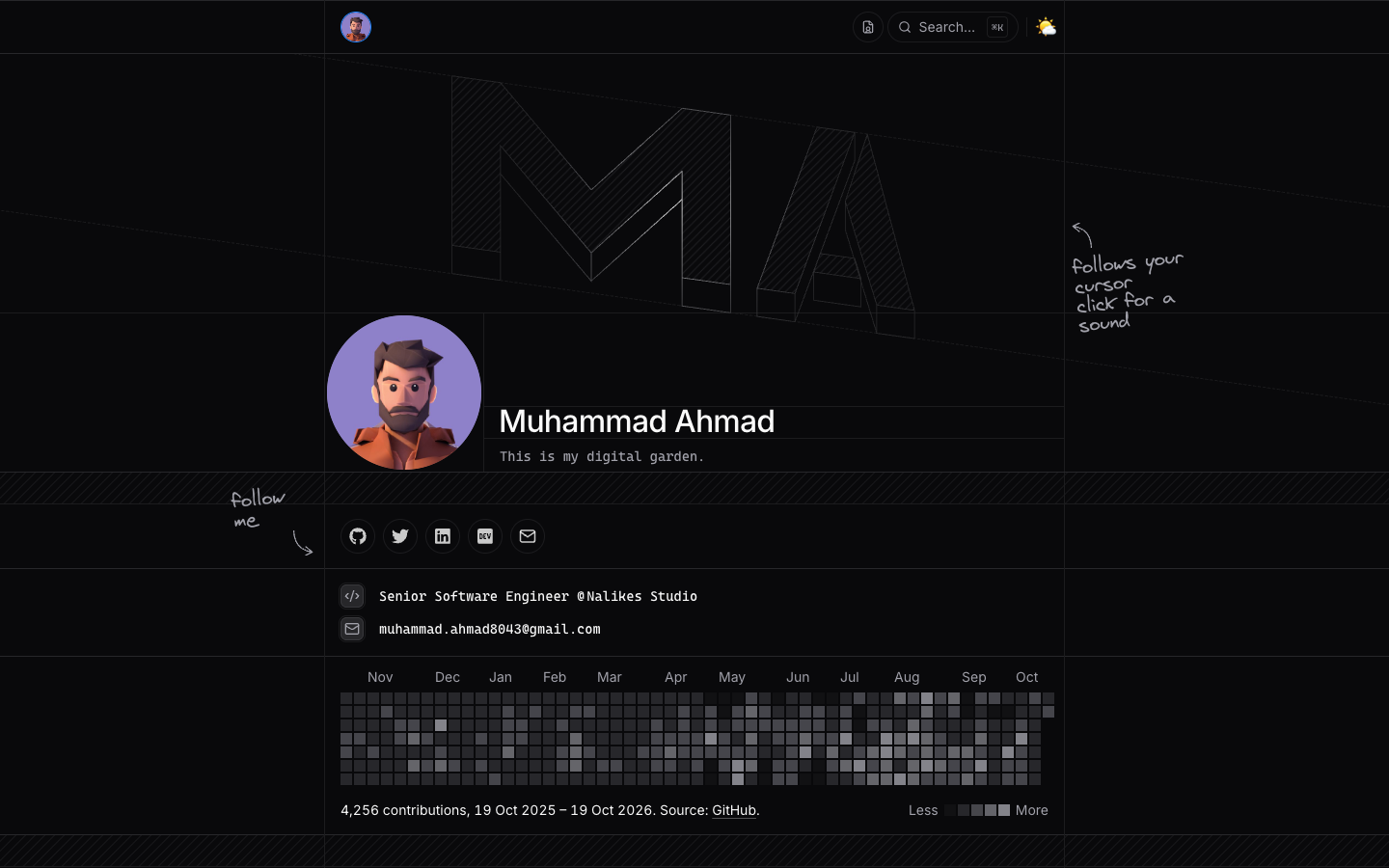
The homepage is now a clean one-page layout with:
- A big isometric "MA" mark at the top
- A pixel avatar that assembles itself from tiny pixels when the page loads (click it to replay, hover to break it apart)
- My GitHub contribution graph
- A Stack section with the tools I use every day
- Experience, education, and projects, all on one page
- Light and dark mode
- A command menu: press ⌘ K or / to jump anywhere
A second theme: Terminal 🖥️
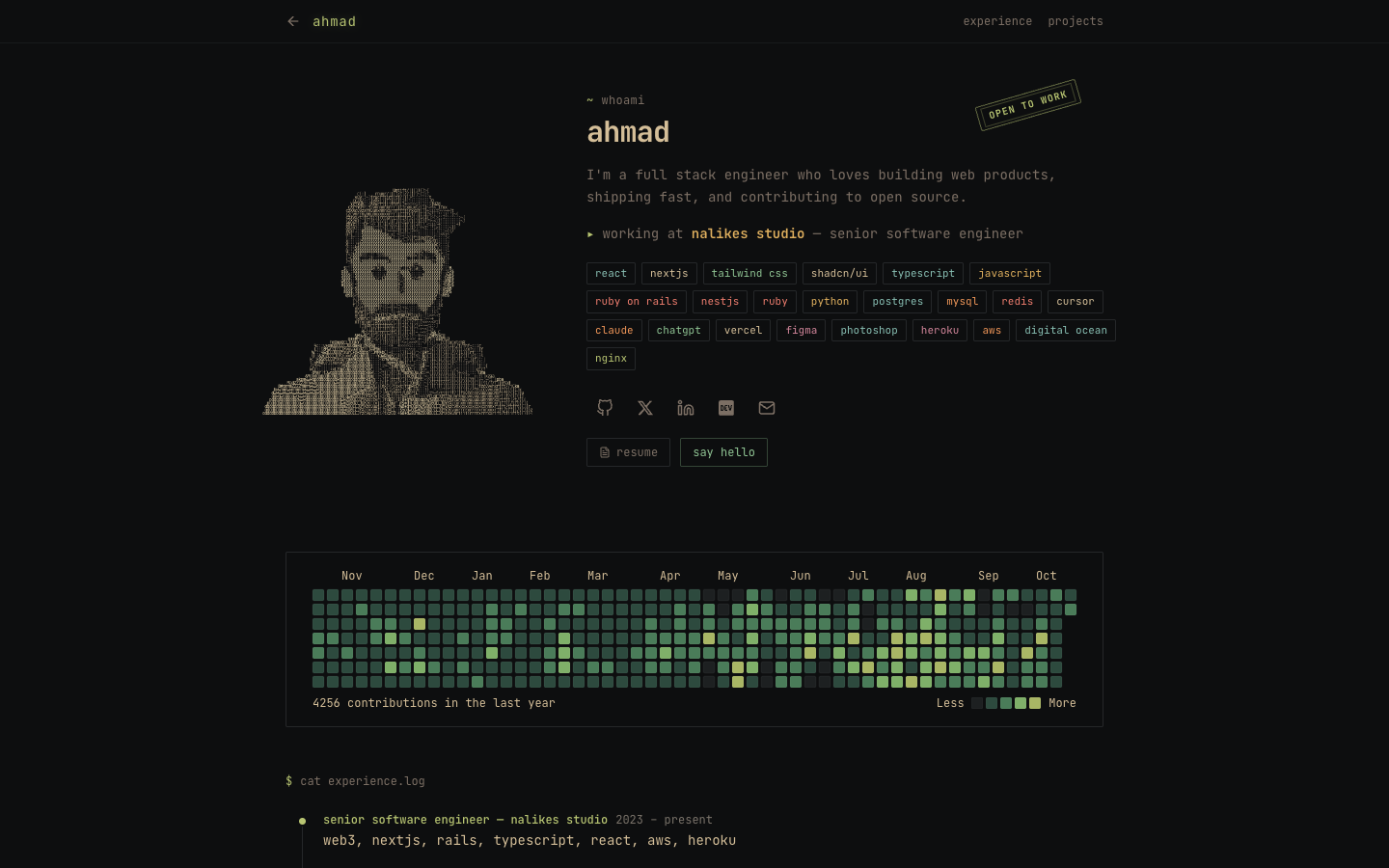
This is the part I enjoyed most. I created a completely different version of the portfolio that looks like a terminal: monospace font, whoami, cat experience.log, and an ASCII art portrait made from characters.
You can open it from the command menu under Themes, or directly at mahmad.me/themes/terminal.
Switching between the two themes plays a pixel transition: the current page breaks into small squares that disappear in a ripple from where you clicked, and the other theme shows up underneath. It uses the browser's View Transitions API, so it's fast and smooth.
I set it up so each theme lives in its own folder, so adding more themes later is easy.
Friendly for AI agents too
The site also has plain markdown versions of my profile (/llms.txt, /about.md, /experience.md, and more), so AI tools can read my profile easily.
Credits 🙏
The new design of the main site is inspired by the beautiful portfolio of chanhdai.com. Huge thanks for sharing such great work, it gave me the push I needed to finally redo mine.
Source code
The portfolio is open source. If you like it, please give it a star ⭐ It really motivates me to keep building.
{% github MA-Ahmad/myPortfolio %}
Let me know what you think in the comments, and which theme you like more: the main one or the terminal one? 😄